
Managing scrap sales efficiently is essential for manufacturers, workshops, and recycling businesses. Whether you’re selling metal, paper, or e-waste scrap, maintaining proper accounting records ensures compliance and clear financial tracking. Tally Prime, one of the most trusted accounting software solutions, makes it easy to record, track, and report scrap sale entries accurately.
This blog will walk you through the entire process of recording scrap sale entries in Tally Prime, including GST setup, ledger creation, and invoice generation.
Why Scrap Sales Need Proper Accounting
Scrap is often generated as a by-product of manufacturing or dismantling operations. Though it might seem minor, scrap sales can significantly contribute to a company’s income. Properly recording these transactions helps you:
- Track additional revenue from scrap
- Maintain compliance with GST and other tax rules
- Ensure transparent business records
- Support sustainability goals by documenting recyclable material recovery
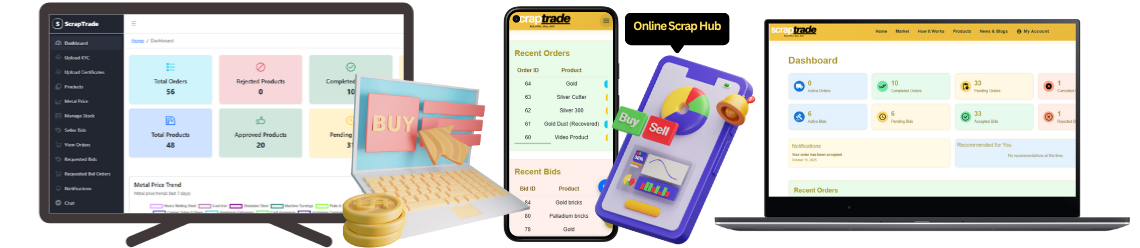
For those involved in scrap trading, platforms like ScrapTrade can help connect you with verified buyers and sellers while Tally Prime ensures smooth backend accounting.
Step-by-Step Process: Scrap Sale Entry in Tally Prime
Step 1: Create a Scrap Ledger
- Open Tally Prime → Gateway of Tally → Accounts Info → Ledgers → Create.
- Name it: “Scrap Sales” or “Metal Scrap Sale.”
- Under “Group,” select Sales Accounts.
- Enable GST Applicable = Yes (if registered).
- Set the Tax Rate based on the material type:
- Ferrous or Non-Ferrous Scrap – 18%
- Paper or Plastic Scrap – 5% or 12% (depending on category).
This ledger will record all your scrap sale revenue.
Step 2: Create Customer (Buyer) Ledger
- Go to Accounts Info → Ledgers → Create.
- Name the ledger after your buyer (e.g., “ABC Scrap Dealer”).
- Under “Group,” select Sundry Debtors.
- Enter GST details of the buyer if applicable.
This ledger tracks customer transactions.
Step 3: Create Stock Item for Scrap
- Navigate to Inventory Info → Stock Items → Create.
- Name it as per the scrap type: “Copper Scrap,” “Steel Scrap,” etc.
- Under “Units,” choose appropriate measurement (kg, ton, pcs).
- Enter rate per unit (based on market value or negotiated rate).
Creating stock items helps maintain quantity-wise inventory control.
Step 4: Record the Scrap Sale Entry
- Go to Accounting Vouchers → F8: Sales.
- Select the Scrap Sales Ledger.
- Choose the Buyer Ledger (customer).
- Under Particulars, select the stock item (e.g., “Copper Scrap”).
- Enter Quantity and Rate.
- Tally will automatically calculate GST.
- Press Ctrl + A to save the entry.
Your scrap sale is now recorded with all tax details properly accounted for.
Example of Scrap Sale Entry
| Particulars | Debit (₹) | Credit (₹) |
|---|---|---|
| Debtor A/c Dr. | 11,800 | |
| To Scrap Sales A/c | 10,000 | |
| To Output CGST @9% | 900 | |
| To Output SGST @9% | 900 |
This shows ₹10,000 as the scrap sale value plus 18% GST.
Step 5: Record Scrap Sale Receipt
When payment is received from the buyer:
- Go to Accounting Vouchers → F6: Receipt.
- Select Buyer Ledger.
- Choose Bank/Cash Account.
- Enter the amount received and save.
This completes the transaction lifecycle in your books.
Step 6: View Reports
Check your entries in:
- Display → Account Books → Sales Register
- Display → Statutory Reports → GST → Sales Summary
This allows you to verify all scrap sales and associated taxes.
Integrating Online Scrap Trading with Tally Prime
Modern businesses often manage both online scrap trading and accounting. Platforms like ScrapTrade enable you to sell scrap online, connect with verified buyers, and generate digital invoices. Once a deal is finalized, you can directly record the transaction in Tally Prime, ensuring smooth reconciliation and compliance.
If you want to buy scrap online, visit ScrapTrade’s Buy Section to compare real-time prices, check verified sellers, and make secure payments via escrow protection.
Final Thought
Recording scrap sale entries in Tally Prime is not just about bookkeeping — it’s about accuracy, transparency, and financial integrity. When combined with a digital marketplace like ScrapTrade, you can handle both front-end trading and back-end accounting seamlessly.
Whether you deal with metal, e-waste, or paper scrap, ensure your business stays compliant and profitable with a structured accounting approach. The fusion of Tally Prime’s accounting power and ScrapTrade’s trading technology makes scrap management smarter, cleaner, and more efficient than ever.